 VIP
VIP
 1 / 5
1 / 5
 2 / 5
2 / 5
 3 / 5
3 / 5
 4 / 5
4 / 5
 5 / 5
5 / 5
Step into the shoes of a railway dispatcher and take control of a bustling railway network with dozens of trains running on time in "Railway Dispatcher Pro," a realistic train operation management simulation game that lets you experience the thrill of using a Centralized Traffic Control (CTC) system.
The sister game to "Railway Dispatcher," it takes you from the perspective of operating signals at the "station" level to the strategic "dispatcher" level, overseeing the entire line.
Work together with up to 4 players to manage the same line and schedule on a single map. Divide responsibilities by station and use markers to remind each other, collaborating to maintain smooth operations even during the busy morning rush hour.
・Quickly gather with room codes: Create a room in the "Co-op Mode" screen and a 6-digit room code will be displayed. Just share this code with others to join, no need to be Steam friends. You can also be invited through Steam, and you can join an ongoing room at any time.
・Assign responsibilities: The host can assign each station to a player, and the station names on the map will change to the color of the assigned player. The mouse cursor of other players will also display their names, making it clear who is looking where.
・Remind each other with markers: Hold down Q and click on the map to place quick message markers such as "Please look here," "I'm holding the train," and "I'm setting the route" on everyone's screen.
Co-op mode is played in sandbox mode. In addition to the in-game lines, you can also use lines from the Steam Workshop (players without the line can subscribe when joining). All scheduling operations such as buttons, routes, holding trains, and adjusting schedules can be performed by everyone; speed changes, triggering events, and saving are handled by the host. All participants must own the game. There is no voice chat in the game, so please use tools like Discord for gaming.
Start from scratch and create your own lines from the "Map Editor" screen. Place stations, connect them, and signals, buttons, and routes will be automatically generated. Your completed line will appear directly in the sandbox and schedule creation, allowing you to seamlessly go from creating schedules to taking on the dispatcher role.
・Steam Workshop: You can publish your completed lines to the Workshop; other players' lines will appear in the line selection if subscribed. Lines from the Workshop can also be used in co-op mode rooms.
・Easy: Only 4 tools are needed to complete a line - "Create Vehicle," "Build Station," "Connect Stations," and "Connect Tracks." Simply place the wiring for the station and click to connect stations, and tracks, block signals, and signals will be laid out automatically.

・Detailed: Place and modify track circuits, switches, buttons, routes, and signals individually. You can switch between two modes at any time, and the same line is created regardless of which mode you use.
・Before saving, a "To-Do List" will prompt you to check for any omissions, and you can directly jump to the corresponding location. Undo/redo (Ctrl+Z/Ctrl+Shift+Z) is supported.
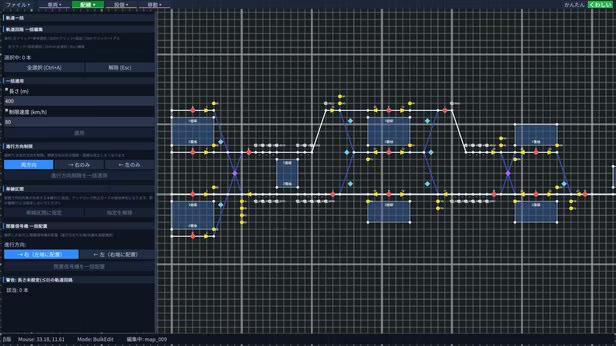
You can create lines like the official maps, but some wiring cannot be created (e.g., loops where the starting and ending stations are the same). Changes to the content are not automatically saved, so please save frequently (F5). For issues and feature requests, please contact us through the manual's "Contact Us" section.
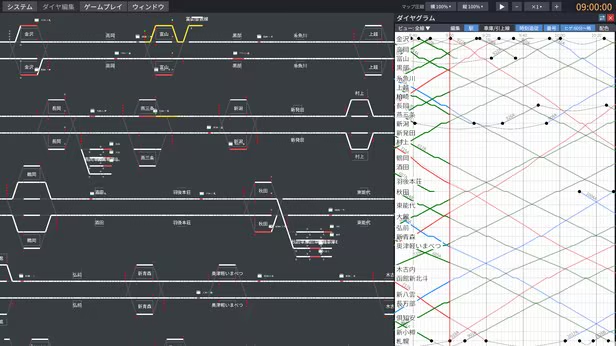
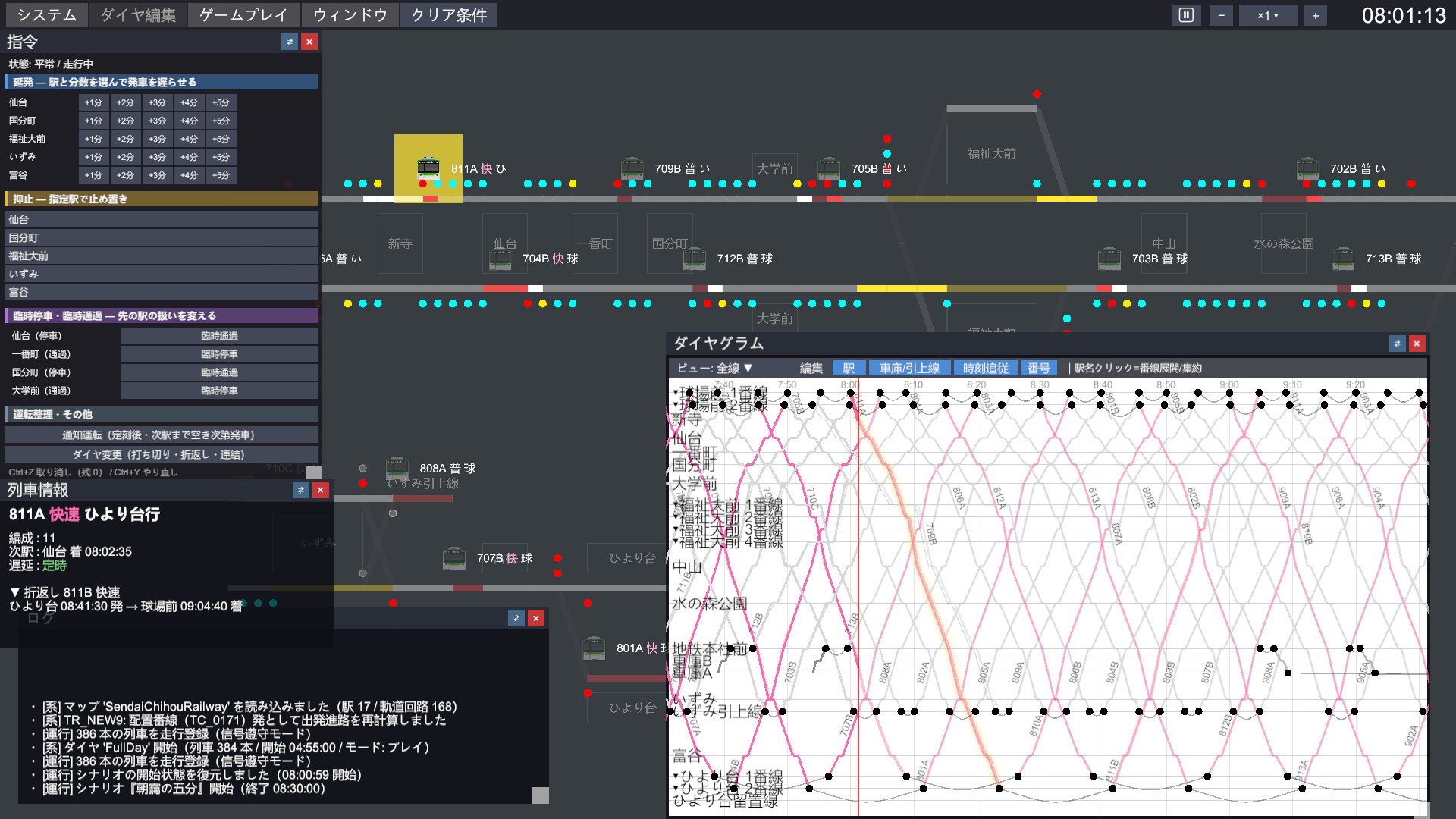
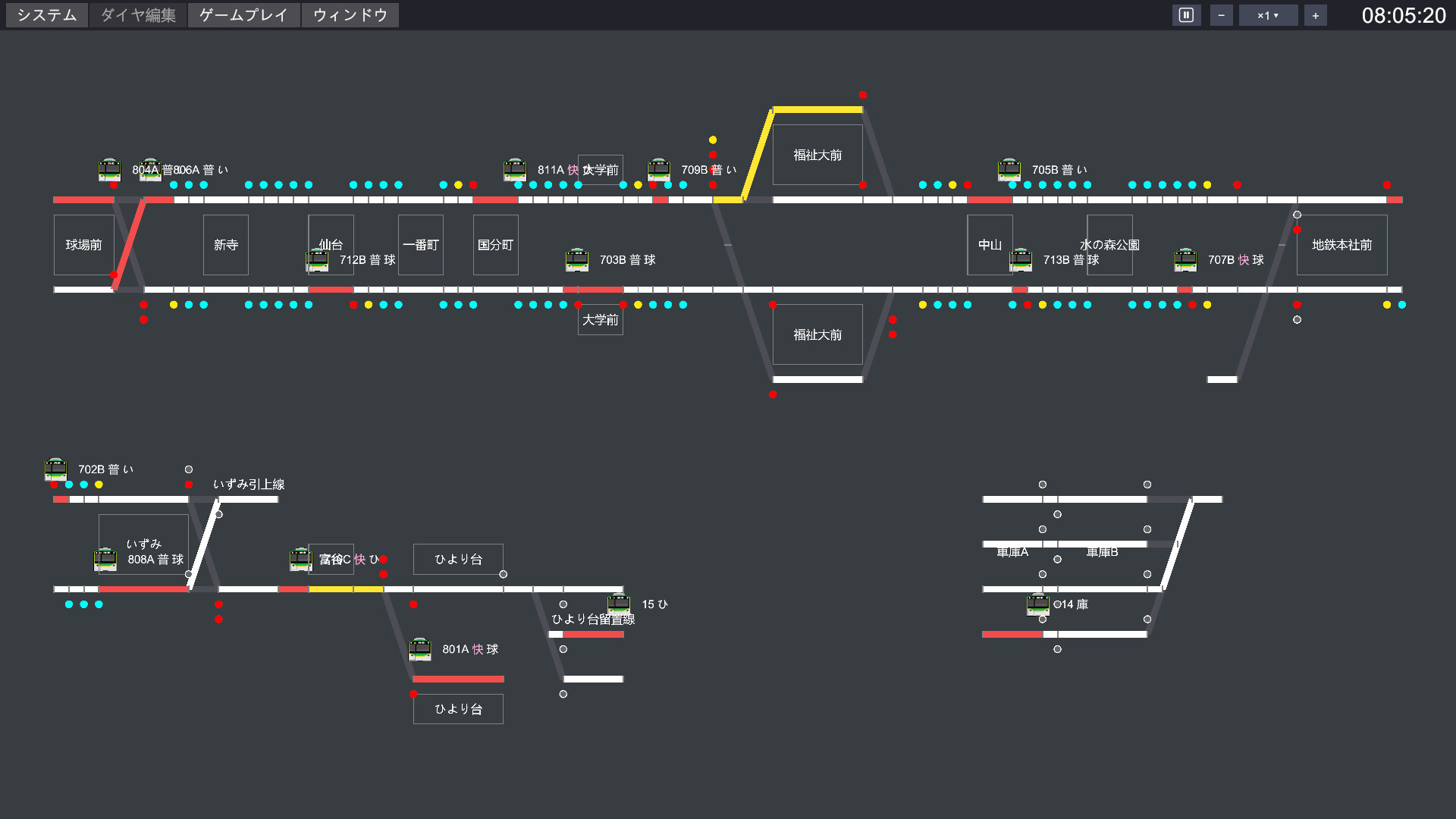
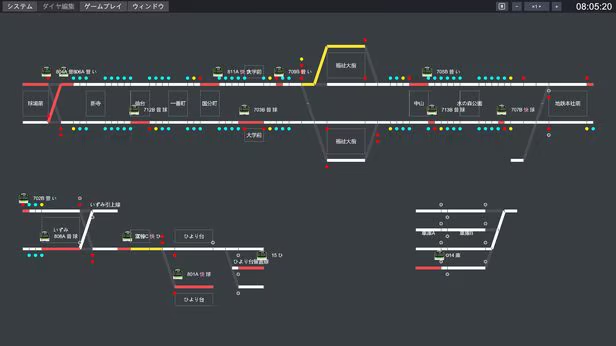
The CTC control panel displays real-time information about train occupancy, signals, and open routes across the entire line. The control panel will tell you everything about where trains are congested, where delays are spreading, and more. Click on a train, and the route it will take next will be highlighted in orange.
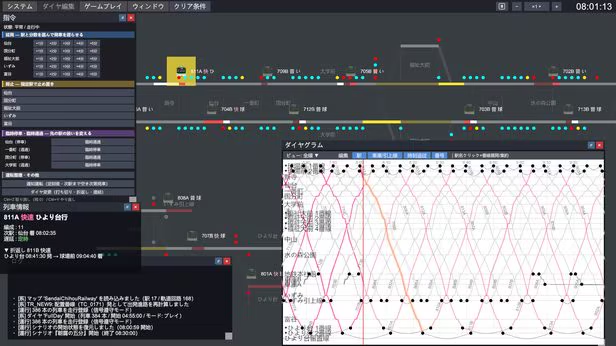
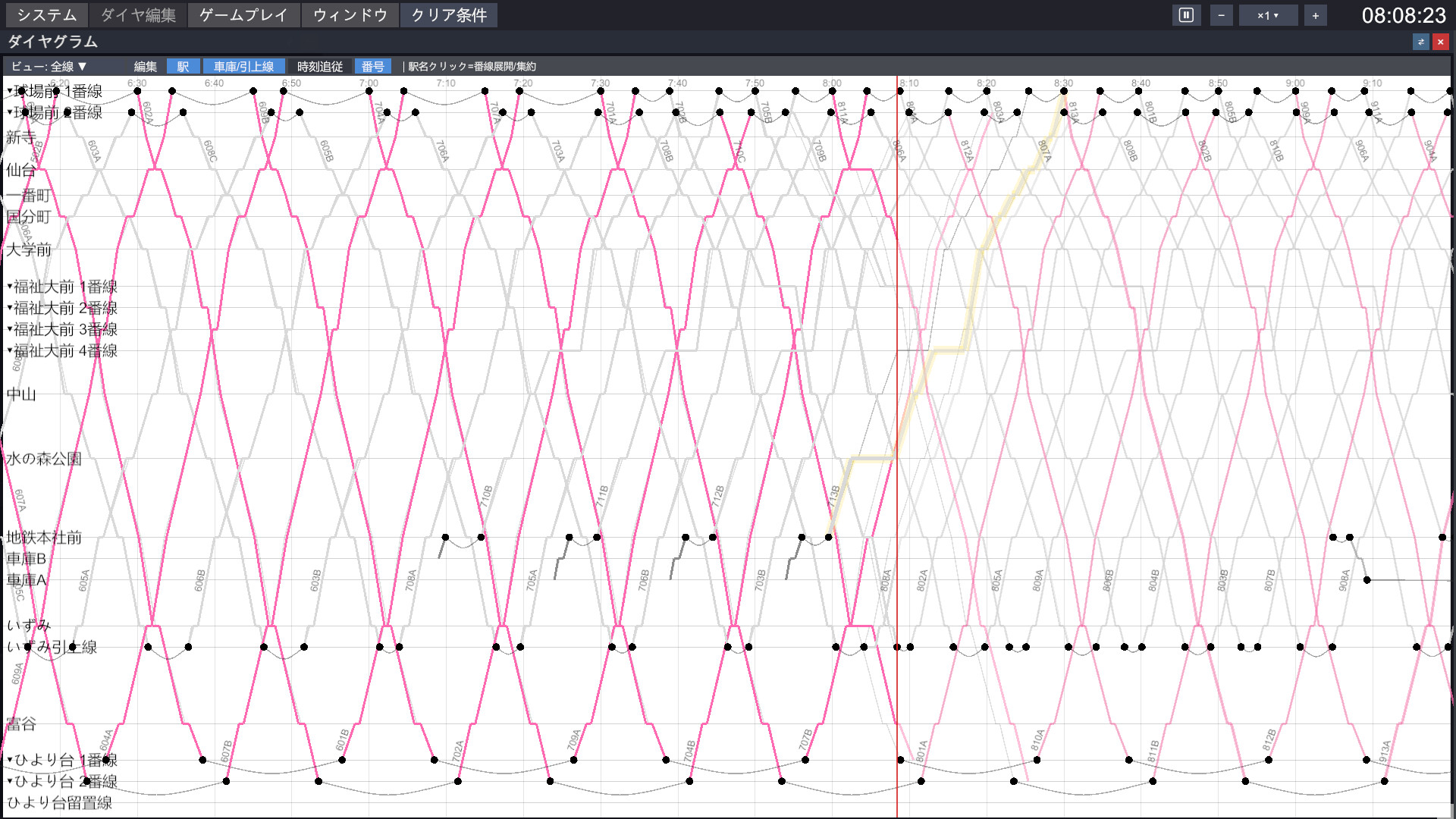
The dispatcher's weapon is the schedule. Plan running lines, incorporate predicted and actual delays, and overlay them to see the chaotic path in advance. Go back and forth between the control panel and the running lines, planning your next move - that's the fun of dispatching.
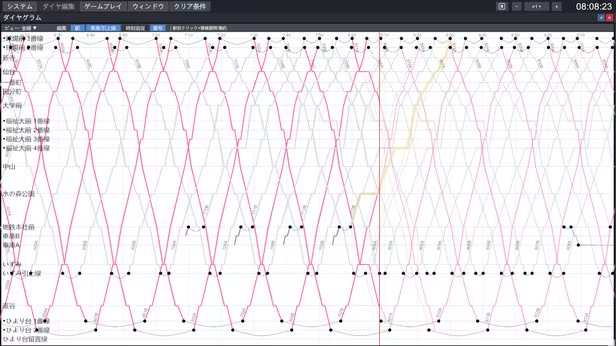
Hold trains (you can also hold trains in one direction), delay departures, temporary stops, temporary passing, early terminations, reversals, and linking operations. Every operation adjustment card you play will immediately reflect changes on the running schedule. Which train to clear first? Where to reverse? There's more than one correct answer.
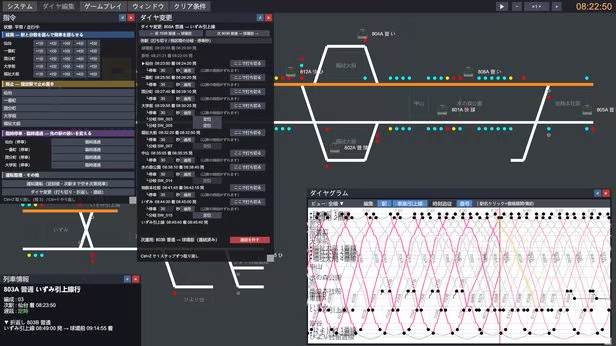
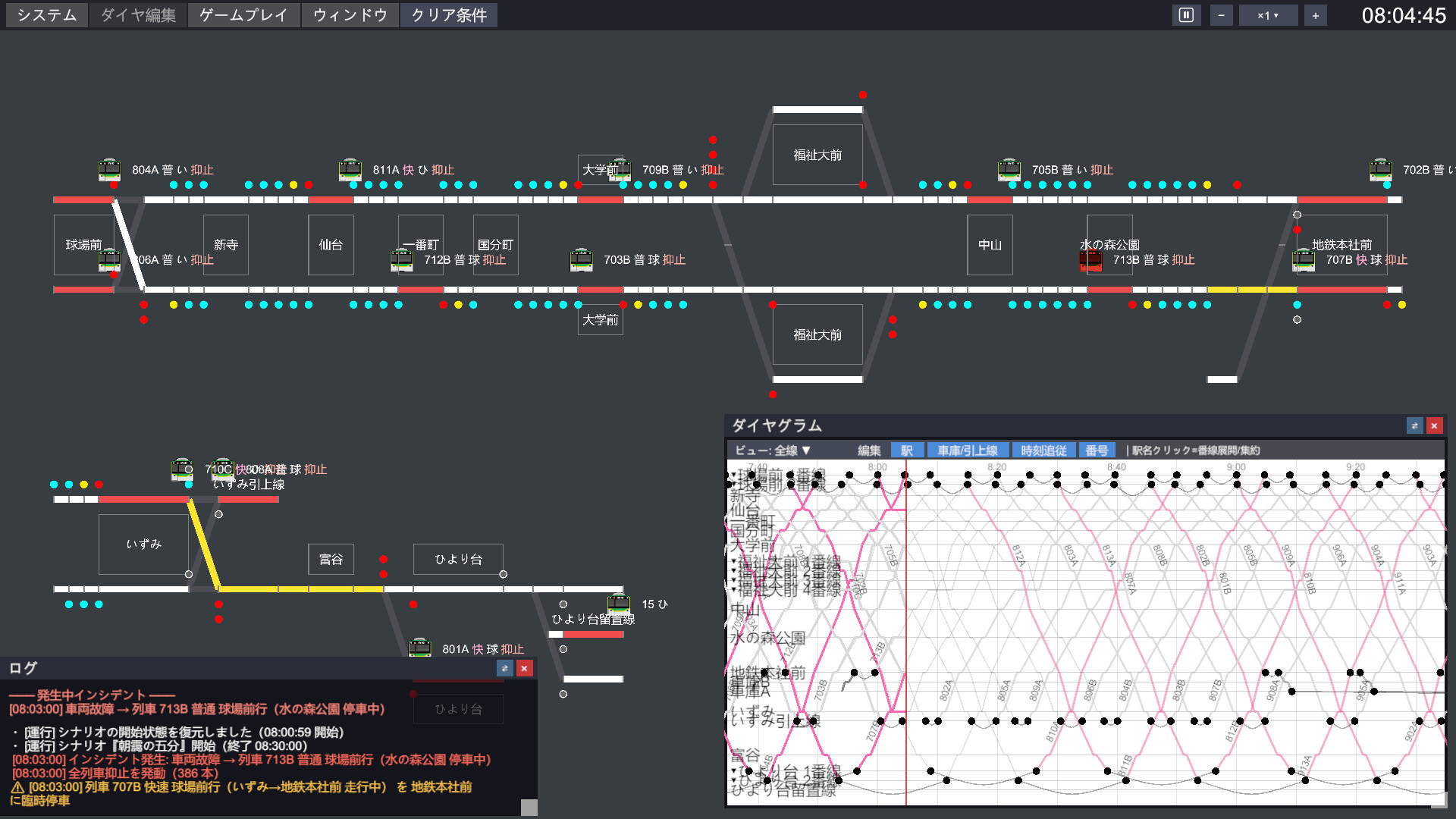
Vehicle malfunctions on the main line during the morning rush hour. Speed restrictions due to heavy rain and strong winds. Power outages and fallen trees causing service disruptions - real-world train operation failures will occur on your control panel. Please stabilize the collapsing running schedule. You can also trigger events at any location and time to create your own malfunctions.

From suburban local trains to central city subways, airport lines, and even Shinkansen, there are scenes based on real-world railway operation failures waiting for you on 5 very different lines. You can also play lines created by other players in the Steam Workshop.
・Suburban local train (Ballpark Station to Sendai to Nikka-Tai 13 stations・Difficulty ★1): Meeting trains on single-line sections, as well as connections between express and local trains. 5 scenes
・Hachinohe local train (Chiba to Kashiwazaki to Genkai-Mae, etc. 20 stations・★2): Divisions between main and branch lines, and passing at holding stations are highlights. 5 scenes
・Central city subway (Nakayoshi to Yokohama to Udagawacho 25 stations・★2): High-density line with departures and arrivals from Yokohama every 2.5 minutes during peak hours. 5 scenes
・Airport line (Sapporo to New Chitose Airport to Shikotsu-Mura Onsen 30 stations・★3): Direct subway operation, four and single lines converge on one line. 732 trains per workday. 5 scenes
・Japan Sea coast Shinkansen (Kanazawa to Aomori to Sapporo 28 stations・★2): Trains flying at 275 km/h, and red and green signals (ATC). 2 scenes
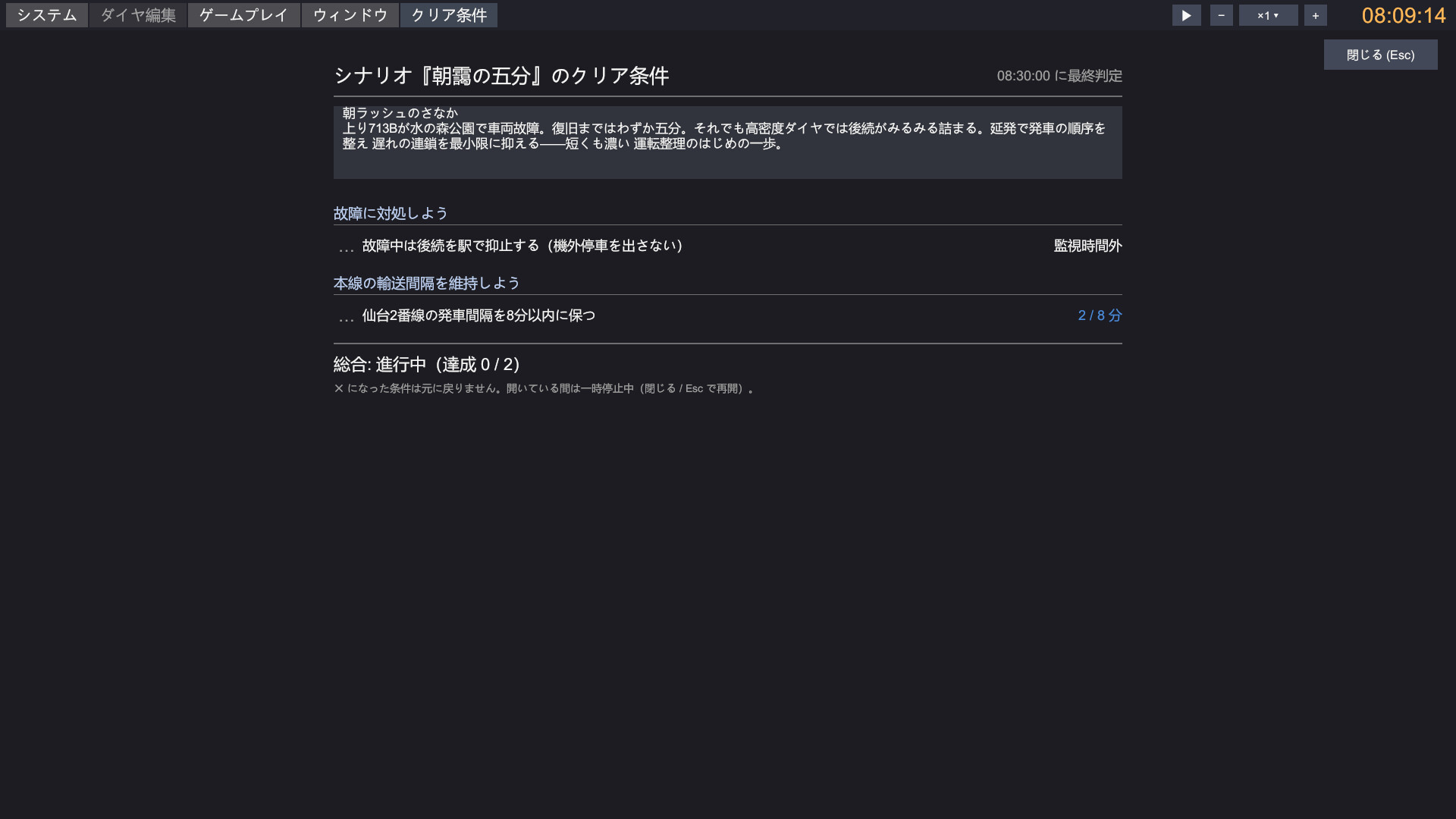
Each scene has completion conditions such as "The maximum delay at the end is within ○ minutes," "No off-track parking," and "Departures in ○ direction for ○ trains." Completion status is displayed in real-time in the game. The same chaos can lead to different results depending on how you dispatch.

After selecting a line and schedule, you can start from the first train of the day or at any hour of the day in 1-hour increments. Repeatedly practice the evening rush hour or just watch the late-night trains arrive - no need to speed up for tens of minutes.

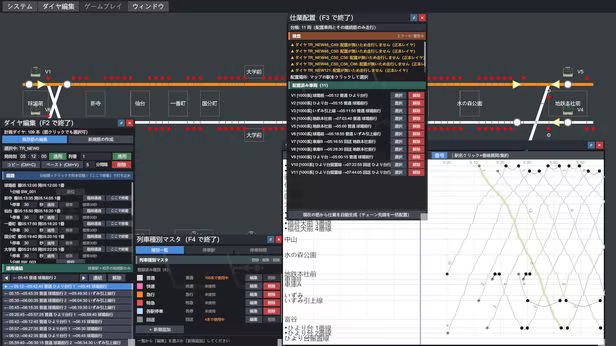
You can design running lines manually with the running line editing function. You can freely arrange stopping times, meetings, and turnaround operations. The moment your "own schedule" comes to life with hundreds of trains running, it's an unparalleled thrill.
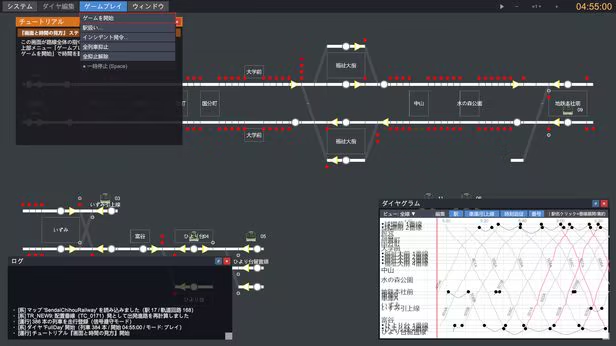
No railway knowledge is needed. 5 tutorials guide you from basic operations to advanced station control, with red boxes on the screen pointing directly to "the next place to press." After becoming familiar, challenge higher difficulty lines and scenes.
・Lines included: 5 (all fictional) + 9 sets of schedules
・Scenes 22 + 5 tutorials
・Sandbox (choose start time, freely trigger failures)
・Schedule creation
・Map editor and Steam Workshop (share maps)
・Online co-op mode (up to 4 players, sandbox)
・Supported languages: Japanese, English, Simplified Chinese, Traditional Chinese, Korean, German, Indonesian
・Supported systems: Windows, macOS
After the official release, we will continue to update, including adding lines and scenes, improving the map editor, and more.
Livestreaming, gameplay, clips, and monetization all require no prior permission and can be done freely. All proceeds go to the creators. Exclusive live streams are also fine.
选择游戏安装路径,直接点安装即可,无需繁琐配置。
部分游戏路径不支持中文,请使用英文路径安装。
安装相应游戏环境运行库 / 组件,遇到报错可查阅常见问题。


